
MCP servers
Connect external MCP servers — Firecrawl, custom HTTP endpoints, local CLI tools — so Dori can call out to them as extra tools.
Dori can act as an MCP client, calling out to external MCP servers as extra tools available to workflows and chat. Set these up under Settings → Connections → MCP Servers.
One-click presets
Search the web and turn pages into clean text for research, capture, and agent use. Runs over HTTP — no local package install needed. Get a free API key at firecrawl.dev (starts with fc-) and paste it as the bearer token; leave the URL as-is.
For any other MCP server you already have a URL for. Paste the URL and an optional Authorization header — ask whoever runs that server for both.
For local CLI-based MCP tools. Provide the binary command (e.g. npx -y @modelcontextprotocol/server-memory) and environment variables.
Adding a server manually
Beyond the presets, you can add any MCP server by hand:
- stdio — a local command plus arguments (for MCP servers distributed as CLI packages, e.g. via
npx), with environment variables for secrets. - http — a remote URL, with optional headers for auth.
For each server, you also choose which of its tools Dori is allowed to call — nothing is auto-granted just because a server is connected.
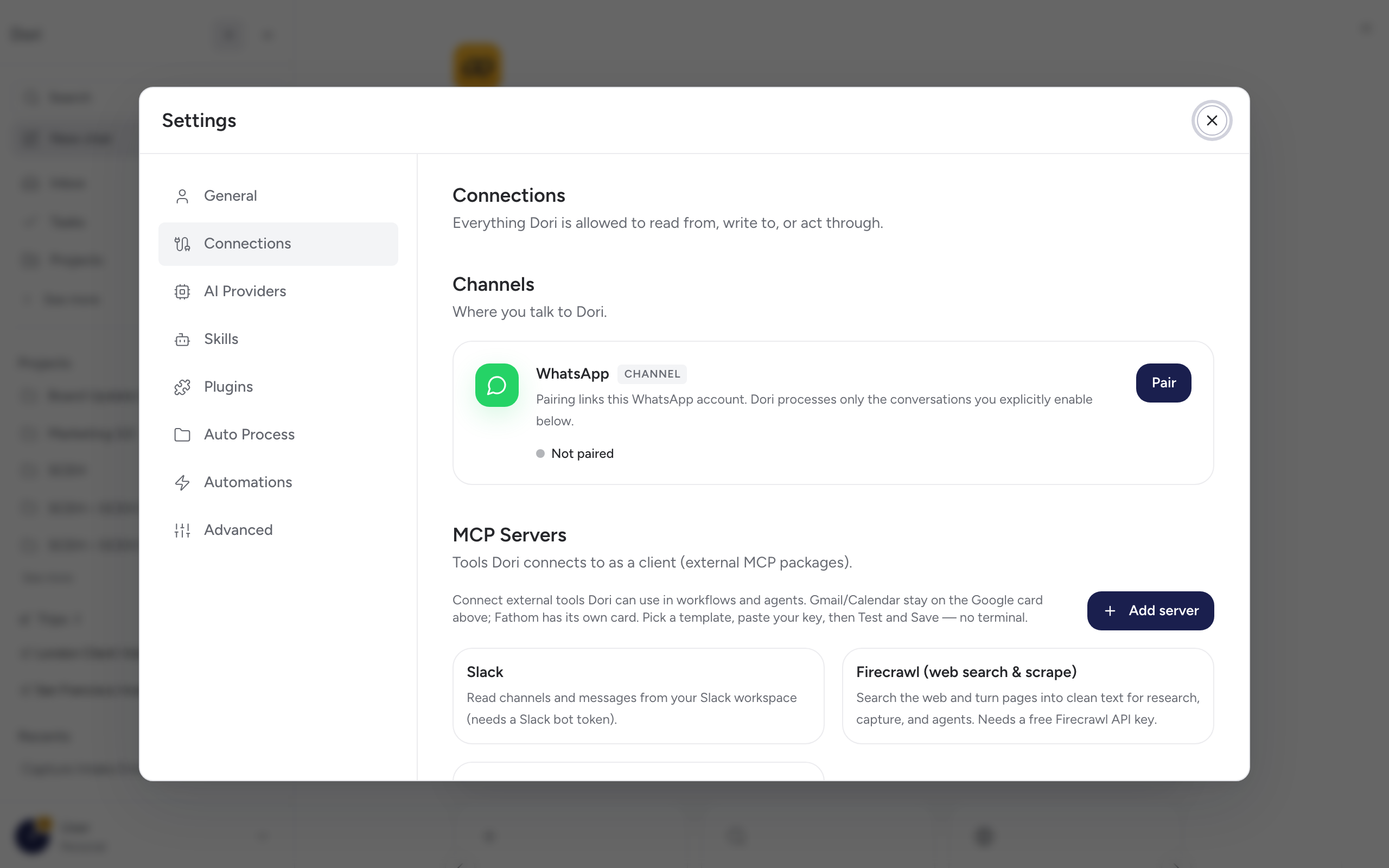
First-party connections aren’t listed here
Gmail, Calendar, and Fathom are handled as their own Connections cards (see Meeting notes and Connections), not as generic MCP servers — you won’t find them in this list.