
Client relationships without a CRM
Track every prospect, deal, and client relationship across accounts and people in one place — zero manual CRM filing required.
For: consultants and founders running a sales or client pipeline without a dedicated CRM
If you’re running a business or consultancy out of spreadsheets, Apple Notes, and your head because traditional CRMs feel like a separate filing chore — this is for you.
Traditional CRMs (Salesforce, HubSpot, Pipedrive) force you into double entry. You take meeting notes in one app, then have to log into your CRM to update deal stages, paste summaries, and set manual reminders. Because it feels like administrative overhead — often 15-20 minutes a day of re-typing the same update in two places — team members stop updating it, and your CRM data becomes stale and unreliable.
How your pipeline builds itself
In Dori, your client relationships, meeting notes, project specs, and contacts all live in the same Markdown vault. Relationship history isn’t a separate database you have to maintain — it’s a living timeline built automatically as a byproduct of your everyday work.
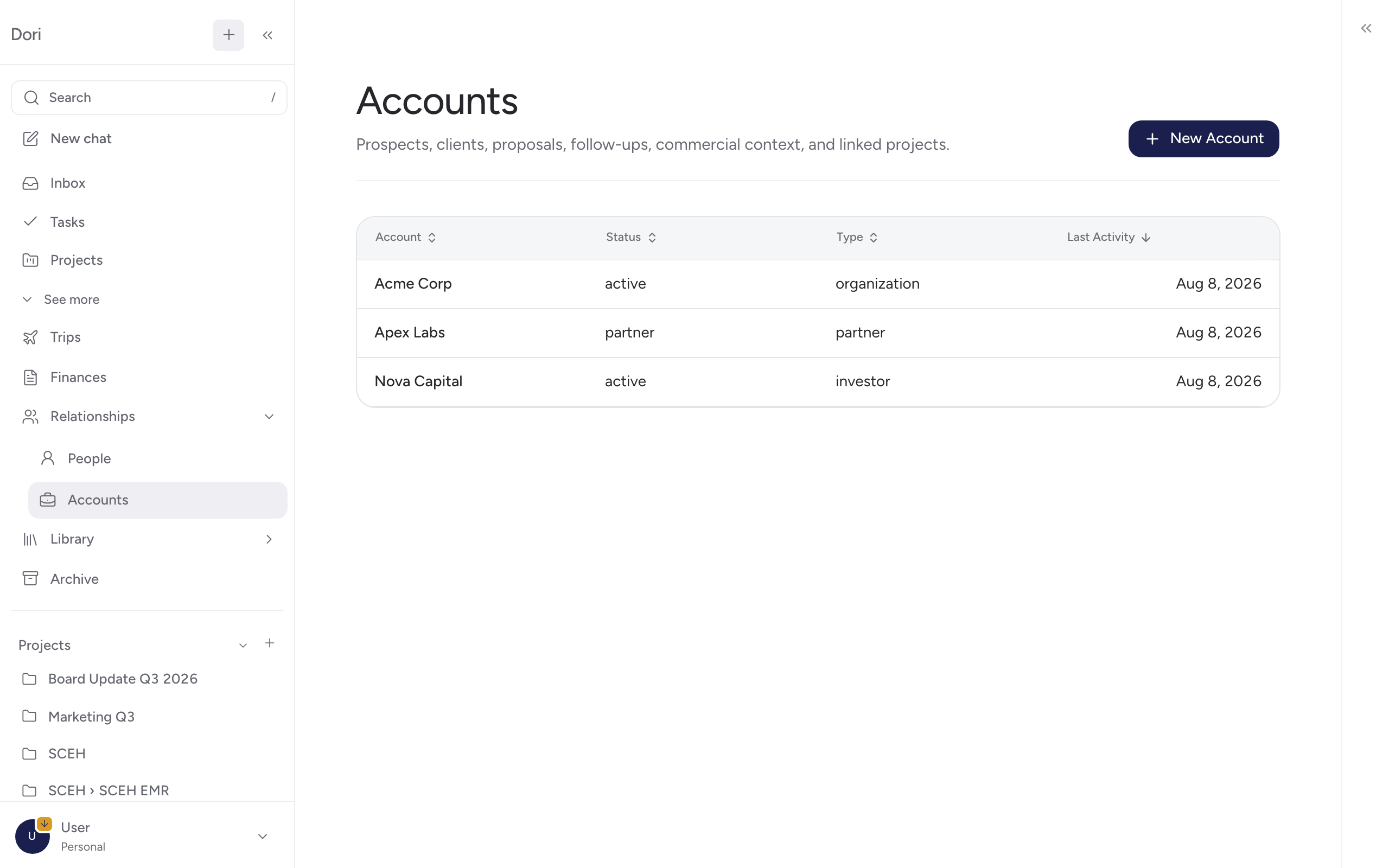
What’s actually driving this, and what it costs
Creating accounts, linking contacts, and building relationship timelines rely on local vault matching logic, running at zero API cost. Extracting key decisions, summarizing long call transcripts, and identifying action items from notes is the part that uses your configured AI provider.
Questions you can ask about your pipeline
Once your accounts and notes are connected in Dori, you can ask plain-language questions across your entire pipeline:
- “Where do things stand with the Meridian account?”
- “Which prospects haven’t I spoken to in the last 3 weeks?”
- “Summarize every call, email, and proposal we’ve had with Zenith Corp this quarter.”
- “What was the budget range discussed during my last meeting with Priya?”
- “List all open follow-ups across my top 5 accounts.”
See Accounts and relationships for full details.
Quick setup (one time, about two minutes)
Create an Account
Go to Accounts in Dori and click New Account. Enter the organization name (e.g. Acme Corp).
Link Key Contacts
Add the primary people you deal with at that organization under People. Dori links them directly to the Account page.
Work normally
That’s it. Any meeting recording, voice note, or document mentioning that company or contact is automatically linked to their timeline.
A day in the life: Managing a pipeline without CRM overhead
Imagine you’re managing a 3-month sales process or consulting engagement with a prospect named Meridian:
- Initial Call: You host an introductory call with Priya (VP of Product at Meridian). Dori captures the meeting recording, generates a summary, extracts action items, and links the note to Priya and Meridian.
- Follow-up Note: You record a 30-second voice note on your walk after the call (“Priya mentioned their main priority is launching by Q4, budget is $50k”). Dori transcribes the memo and appends it to Meridian’s account timeline.
- Prepping for the Proposal Call: Two weeks later, open Meridian’s Account page in Dori. Every previous discussion, agreed decision, and open task is displayed in one unified view — no digging through old emails or CRM logs.
What this looks like across 10 accounts, not one
As your account list grows, Dori keeps your context clean and structured:
- Zero Data Lock-in: Every account and person is stored as plain Markdown files (
accounts/meridian.md,people/priya.md) in your vault. If you ever switch tools, your data remains yours. - No Stale Records: Because updates happen whenever you capture a note or meeting, account histories stay fresh without manual filing sessions on Friday afternoons.
- Cross-Account Isolation: Information for Client A never leaks into Client B — each account maintains its own isolated timeline, linked projects, and action items.
Go further
- Need a polished client proposal? Use Create & share to draft a proposal using the exact context Dori already knows about the account.
- Want to review your pitch before a major client meeting? Consult Council to stress-test your proposal with advisor personas.
- Want dormant accounts to resurface on a schedule instead of asking on demand? A scheduled workflow can do this, though it’s something you’d set up yourself rather than a built-in preset today.