
Travel expenses without a spreadsheet
Collect receipts on the go and let Dori assemble the reimbursement automatically, scoped to the right client account.
For: consultants and executives who travel for client work, board meetings, or roadshows
If you travel for client work, board meetings, or roadshows and end up reconstructing a spreadsheet of receipts from memory a week later — this is for you.
Business travel racks up expenses fast — flights, hotels, meals, local transport — and by the time you’re back at your desk, half the receipts are crumpled in a bag or buried in an email inbox. Reconstructing an expense report after the fact is tedious and error-prone — 30-45 minutes you’ll never get back, guessing at what a crumpled receipt was even for.
How a Trip tracks itself
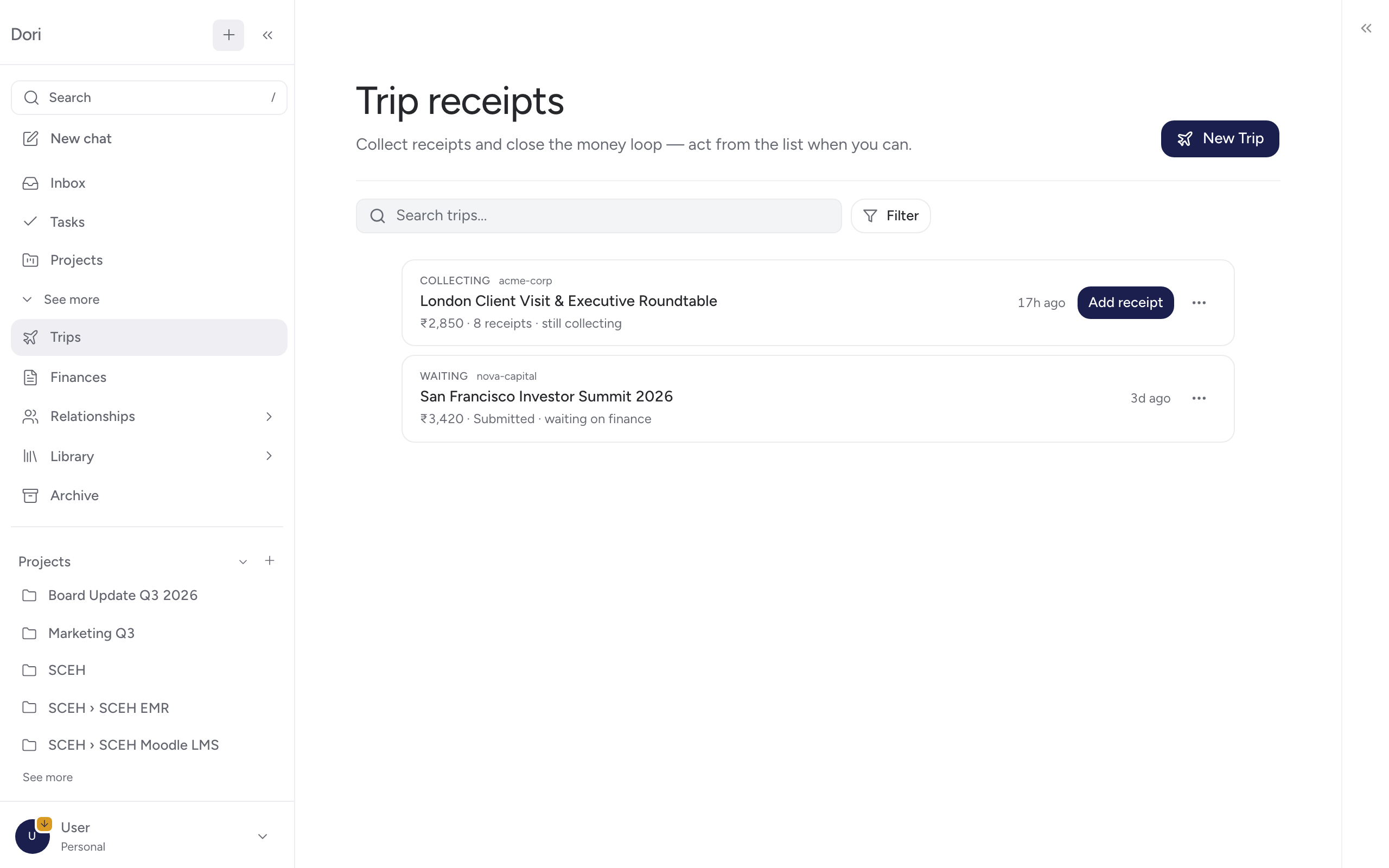
A Trip in Dori is a running record of everything you spend on that trip, tied to the client or account it’s billable to. Drop receipts as you go — Dori tracks the receipt count and running total — and when you’re done, submit it for reimbursement.
What’s actually driving this, and what it costs
Receipt logging, running totals, and status tracking are handled locally by Dori’s engine at zero API cost. Reading text off a receipt image, if needed, is the one part that may use your connected AI provider.
Trip status, start to finish
- Draft — the trip is ongoing; receipts are still being added.
- Submitted — you’ve sent it for reimbursement.
- Paid — reimbursement complete.
- Needs attention — something doesn’t reconcile (for example, the trip was marked resolved while still in draft) and needs a look before it can close.
Quick setup
Start a Trip
In Dori Desktop, go to Trips and start one — give it a name and link it to the account it’s billable to (or mark it personal).
Drop receipts as you go
Photograph or forward receipts as they happen instead of collecting paper. Each one adds to the trip’s receipt count and running total.
Submit when you're back
Once travel is done, submit the trip. Its status moves from draft to submitted to paid as reimbursement goes through.
Why this beats a spreadsheet
- No end-of-trip reconstruction: Receipts are logged when they happen, not remembered a week later.
- Scoped to the right account: A trip billable to a client stays linked to that account, not mixed in with your personal spend.
- Status you can actually see: Draft, submitted, paid, or needs-attention — not a guess about where reimbursement stands.
Go further
- Want to capture receipts by voice or WhatsApp while traveling? See Capture it before you lose it.
- Billing a trip to a specific client? See Accounts for how commercial context stays scoped.