
Choose your AI provider
Pick which AI does the thinking and workflow parsing for Dori — a connected CLI subscription or an API key, your choice.
Dori doesn’t ship its own model — it uses an AI provider you connect, for the “thinking” behind workflows, drafting, and chat. You set this up once, in the Intelligence step of first-run setup (or later in Settings → Intelligence), and can change or add providers at any time.
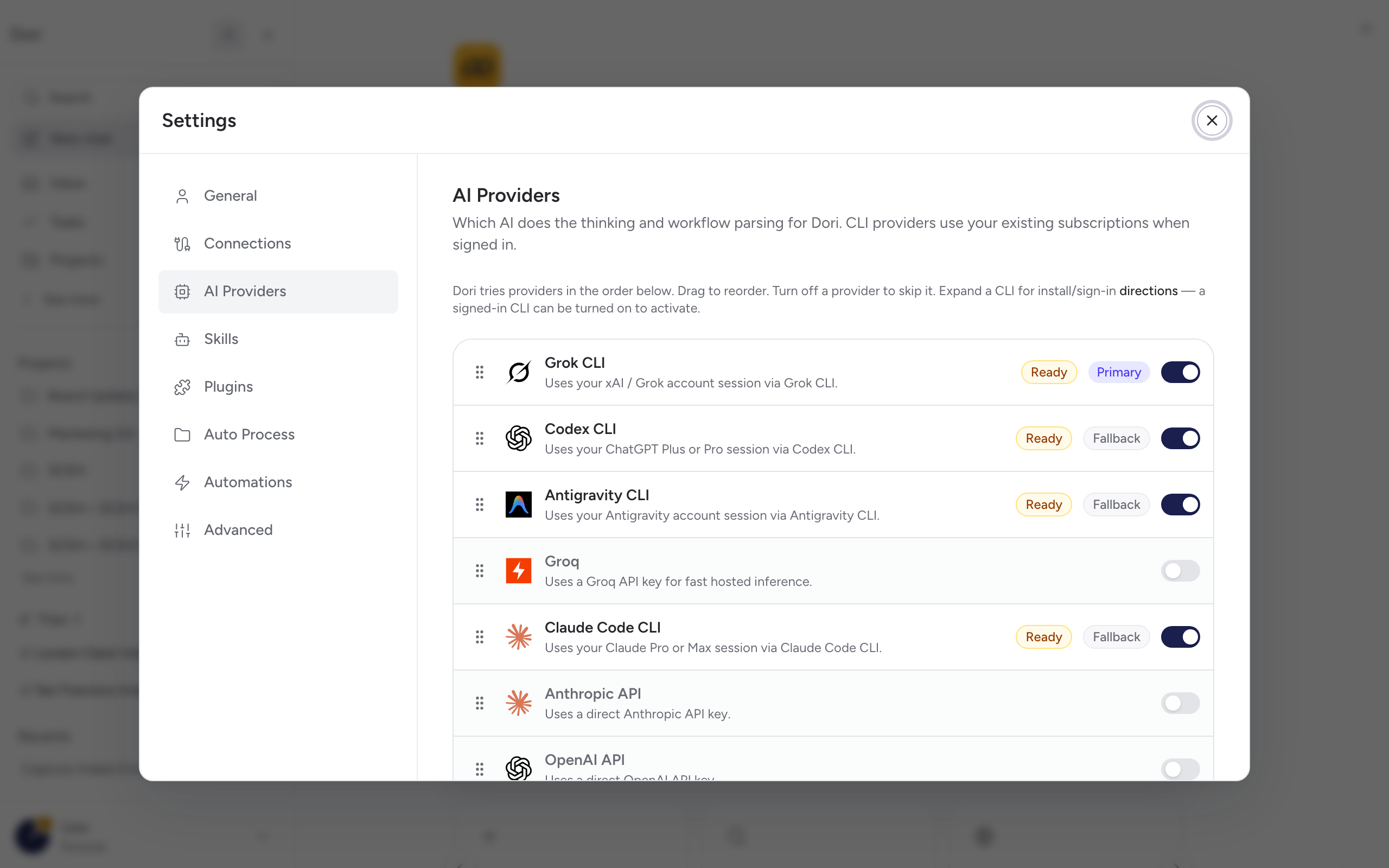
There are two kinds of provider:
If you already pay for Claude, ChatGPT, or another assistant with a CLI, Dori can use that subscription directly — no extra API cost, and no separate billing to manage.
| Provider | What it needs |
|---|---|
| Claude Code CLI | Uses your existing Claude Max or Pro subscription. Install with npm install -g @anthropic-ai/claude-code, then run claude once to sign in. |
| Codex CLI | Uses your existing ChatGPT Plus subscription. Install with npm install -g @openai/codex. |
| Antigravity CLI | Uses the local Antigravity agent runtime, if installed and signed in. |
| Grok CLI | Uses the local Grok CLI session, if installed and signed in. |
Dori detects whichever of these are installed and signed in on your machine, and lets you re-check (“redetect”) status if you install one after the fact.
If you don’t have a CLI installed, or want a provider dedicated to Dori, connect an API key instead. This is billed separately from any chat subscription you have.
| Provider | Notes |
|---|---|
| OpenRouter (recommended if you’re not sure) | One API key, 200+ models — Claude, GPT-4, DeepSeek, Llama, and more. Credit-based, no subscription; get a key at openrouter.ai. |
| Anthropic API | Direct API access. Requires a paid API key from console.anthropic.com — Claude.ai (Max/Pro) subscriptions don’t include this. |
| OpenAI API | Direct API access. Requires a paid API key from platform.openai.com — ChatGPT Plus doesn’t include this. |
| Groq | Runs Llama 3.3 70B on Groq hardware. Very fast, with a generous free tier — a good option for just getting started. |
Using more than one
You can enable several providers at once and reorder them — Dori uses the top one that’s ready, and falls back down the list if it isn’t available.
Next step
Continue to Your first capture.