
Your first capture
A step-by-step walkthrough of capturing your first note, voice memo, or file — and seeing exactly where Dori files it.
Now that your vault is connected and your AI provider is set up, let’s capture your very first note and watch Dori organize it in real time.
Step 1: Choose Your First Capture Method
Pick whichever capture method is easiest for you right now:
If you’ve paired WhatsApp (under Settings → Connections), open WhatsApp on your phone and record a 15-second voice memo:
“Met with Alex today about the Q4 marketing campaign. We agreed to finalize the design mockups by next Wednesday.”
In Dori Desktop, press / to open the Command Palette, select New Capture, and type or paste a note:
“Project Launch Note: Need to schedule security audit for Zenith account before October 15th.”
Drop any PDF, document, or audio file into your desktop’s watched folder (e.g. ~/Downloads or ~/Desktop/Dori-Drop).
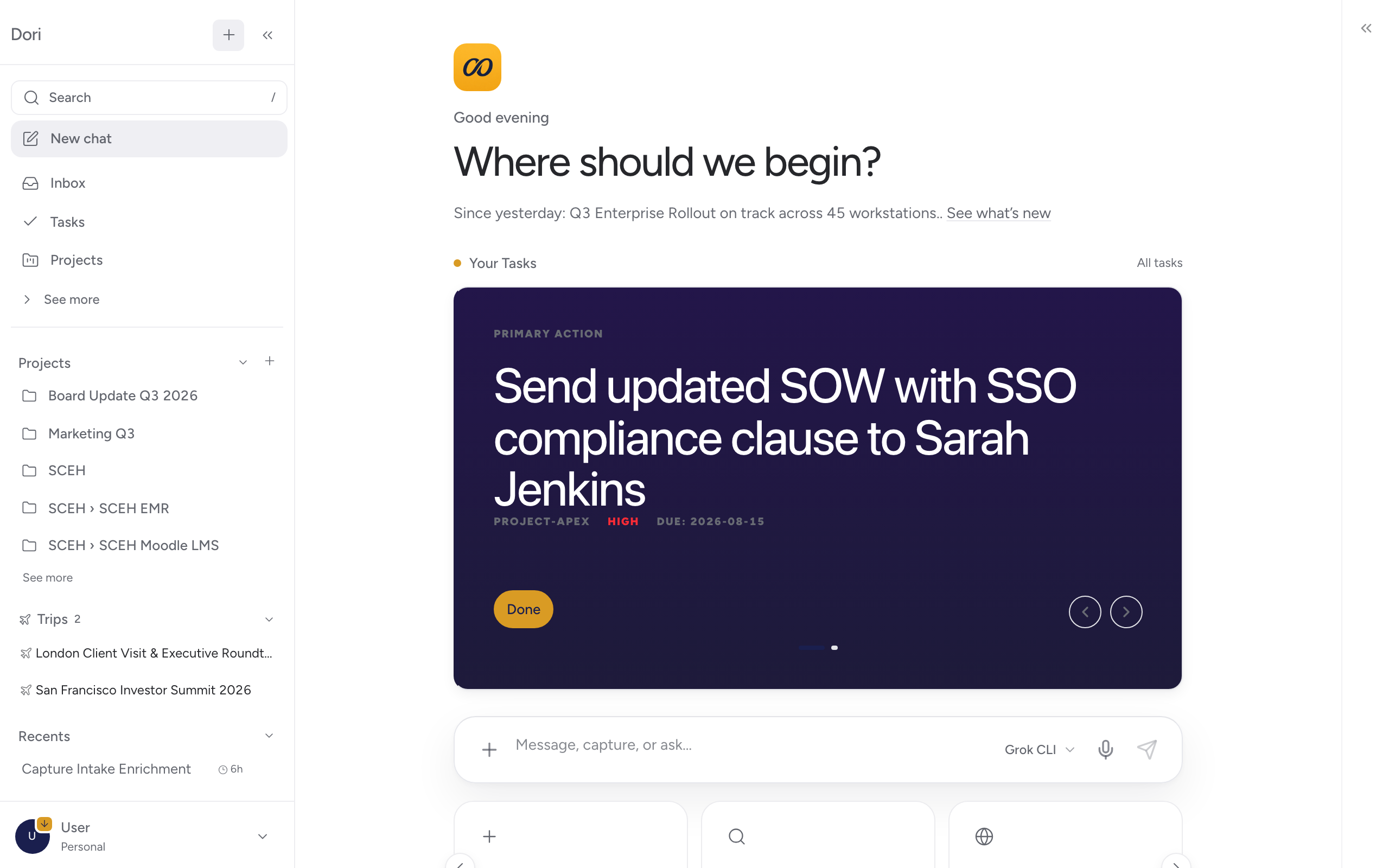
Step 2: What Dori Does Behind the Scenes
The moment your capture arrives, Dori’s local background engine executes four automated steps:
Transcription & Parsing
If you sent a voice note, Dori transcribes the audio locally using speech-to-text. If you dropped a PDF or web link, Dori extracts the text.
Entity & Relationship Matching
Dori identifies names (Alex, Priya), dates (next Wednesday), and topics (Q4 marketing), matching them against existing contacts in your vault.
Action Item Extraction
If your capture contains a promise or commitment, Dori extracts it as a task and adds it to your Tasks & Commitments list.
Vault Filing
Dori saves a clean Markdown file in your vault under captures/YYYY-MM-DD-note.md — permanently owned by you.
Step 3: See Your Organized Note
Open Inbox or Tasks in Dori Desktop. Your new capture is ready:
- The voice note transcript or text is cleanly formatted.
- Mentioned contacts are linked to their People profile.
- Extracted tasks appear in your task dashboard.
What to Try Next
Congratulations! You’ve completed your first capture. Here is where to explore next:
- Using Dori Guides — Explore real-world workflows like Meeting Prep & Follow-up or CRM-Free Relationship Tracking.
- Features Reference — Learn more about WhatsApp & Voice Capture, Folder Watching, and Council Advisors.